
From the acoustic examination -
to a clear plan of action
Nuton AI turns survey results into a structured report with possible causes, priorities, and recommendations. Aura SVS - for engineer, diagnostician and manager.
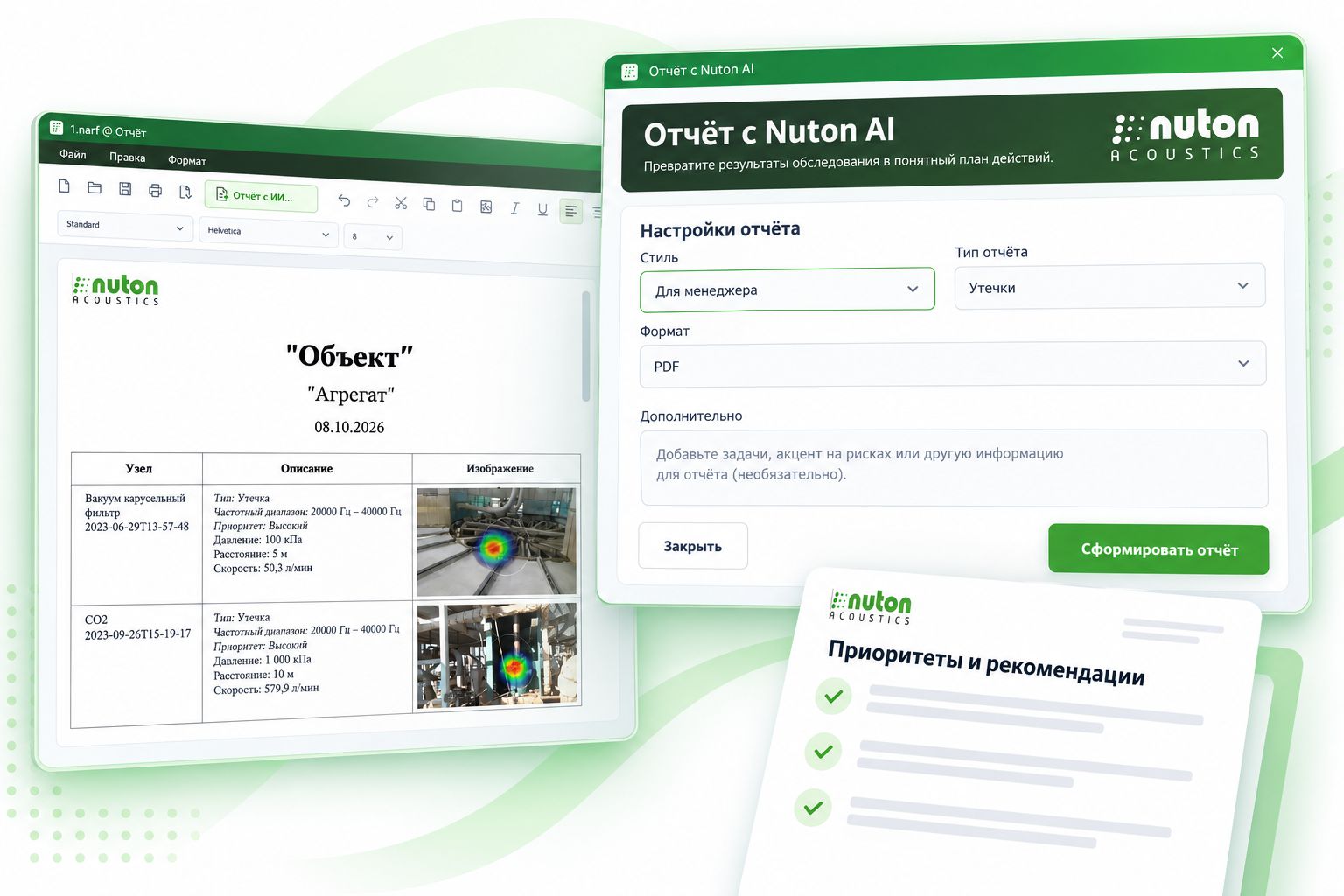
Results that are easy to work with
Less manual preparation
The service helps you assemble descriptions, measurements, and illustrations into a coherent document—without having to prepare each section from scratch.
Clear priorities
Possible causes and consequences of incidents, recommended checks - to determine what to pay attention to first.
Arguments for decisions
Presentation tailored to the reader's needs: from technical inspections to production consequences and loss assessments based on given initial data.
For the purposes of your examination
Choose a direction - Nuton AI will take it into account when preparing conclusions and recommendations.
Mechanics
Possible causes of acoustic manifestations, consequences for nodes and recommendations for further testing.
Leaks
Depressurization of air, gas, and vacuum systems. If costs and tariffs are available, estimate annual losses.
Partial Discharges
Review of electrical incidents using available measurements, descriptions and images.
General report
All types of incidents in one document for a comprehensive review of survey results.
A report in the language of the decision maker
Choose a presentation style to put the details you want in the spotlight.
For a service engineer
Practical checks, maintenance and possible repair measures.
For the manager
Priorities, impact on production, possible downtime and economic scenarios.
For the diagnostician
Measurements, alternative explanations, and recommendations for hypothesis testing.
«"Start with a financial summary of the leaks. Consider the 24/7 operation of the equipment and the rates I've specified.".
In the "Advanced" field, you can set the structure, emphasis, and source data for your report.
The report is prepared directly from Aura SVS
Open the results
Open the original survey report in Aura SVS and click "AI Report".
Set the accents
Select the report type, presentation style, and format. Add your own instructions if necessary.
Check and save
Review the result, refine your query if necessary, and save the document as a PDF or Word document.
The final conclusions and calculations are checked by a specialist before the report is submitted for processing.
See what your next report could look like
We'll demonstrate the service's capabilities and discuss a connection tailored to your needs. Submit a request, and we'll contact you.
Discuss Your Needs
Leave your contact details, and we’ll get in touch within one business day to discuss your needs and find the right solution.